
For distributors and wholesalers in Pakistan
Distribution software for businesses in Pakistan
Run the daily work between your office, order bookers, delivery salesmen and customer shops in one platform. DistributorFlow connects order booking, stock, delivery visits, receiving and counter sales. Start with one small distribution or connect accepted branch accounts as your team grows.
See the current packages and allowances before you choose.
Inside the application
See the product screens
Real application views rendered with sample records. Select a screenshot to see it at full size.
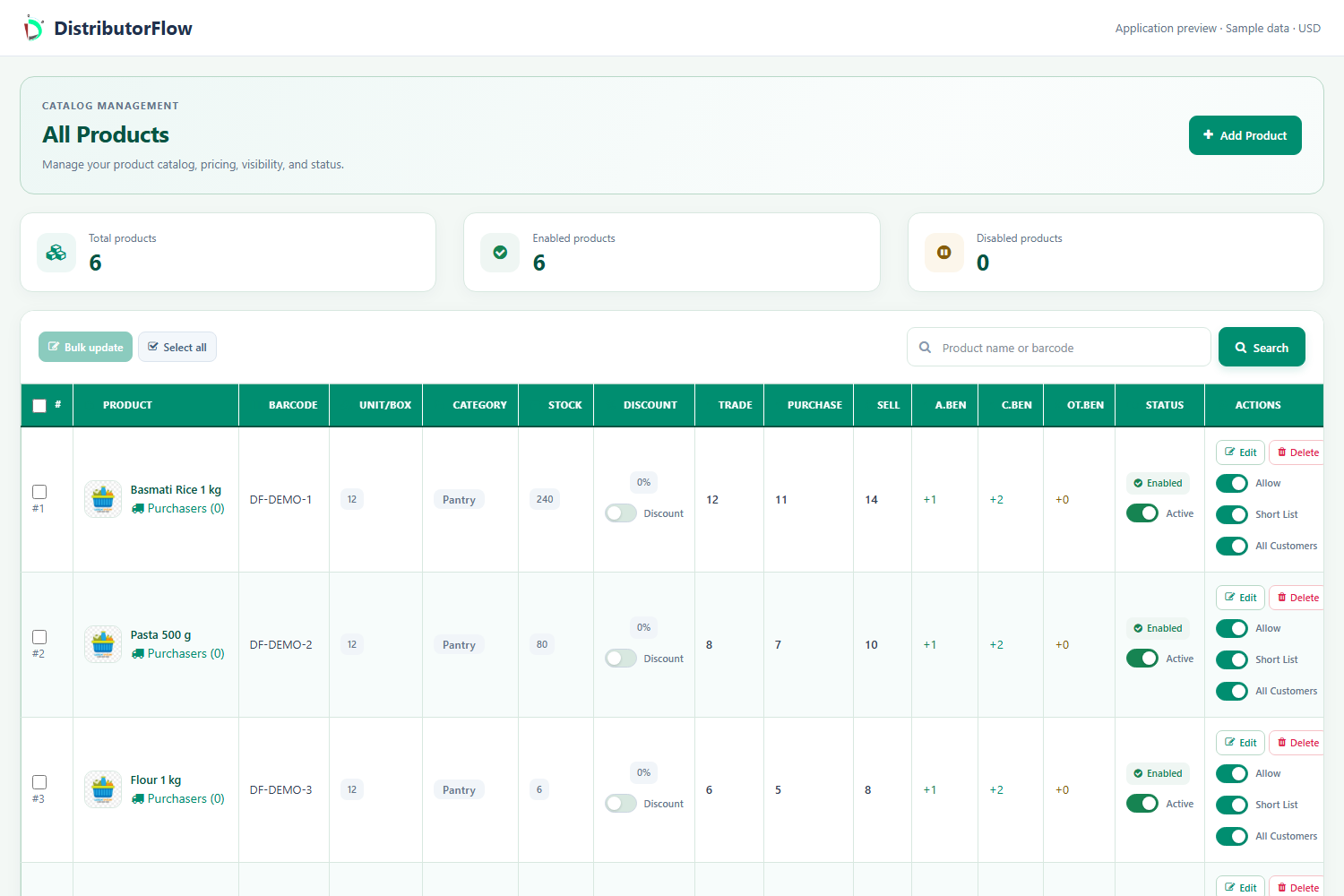
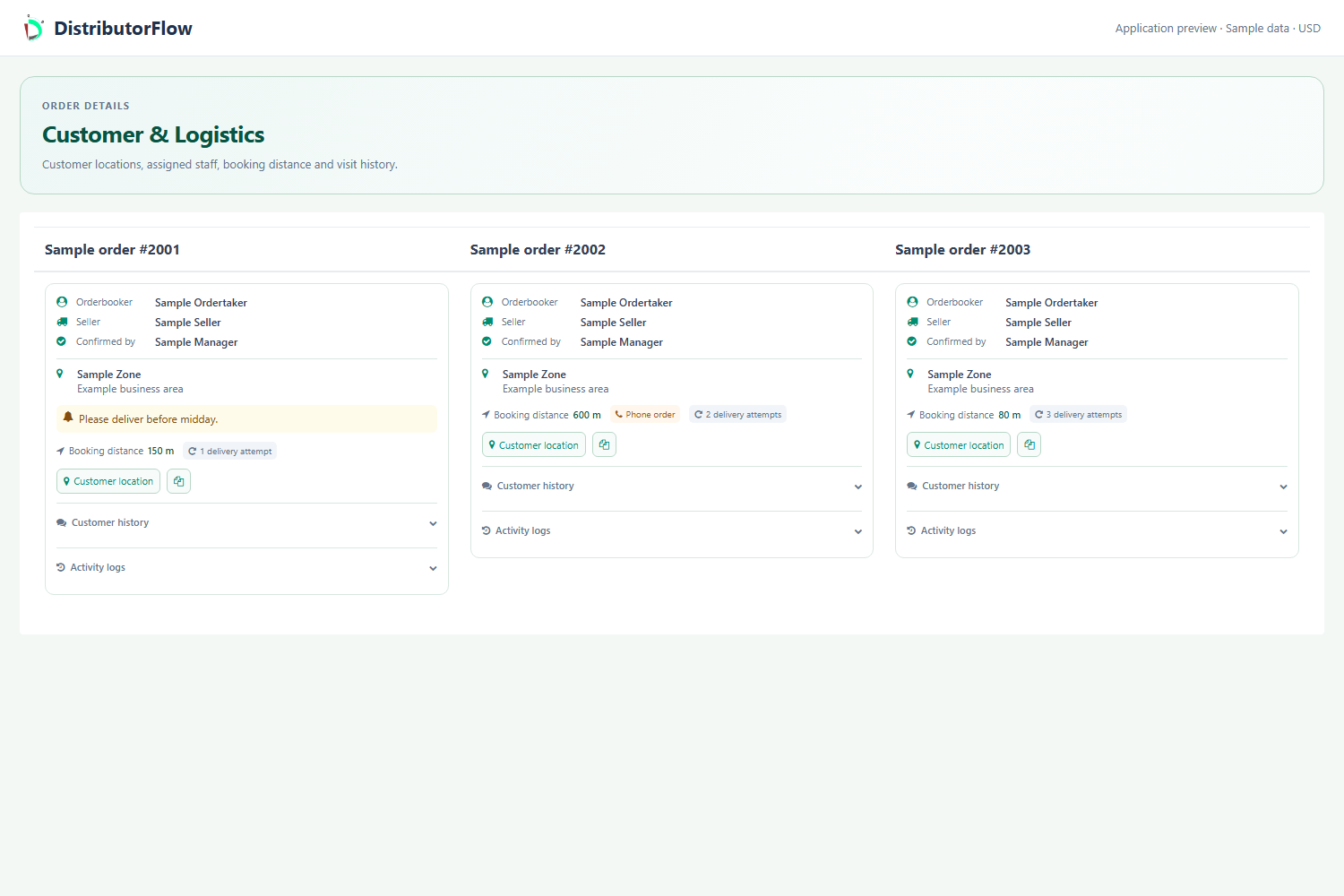
How does a shop order reach your distribution?
An order booker selects the customer shop, adds permitted products and records the order. The distribution reviews the order, assigns delivery work and follows what the salesman delivered and collected. A customer with their own account can also place an order; customer orders still need distribution review.
Set up products and customer areas
Add categories, products, areas and customer shops. Check product units, agreed prices and shop locations with a small sample before entering the full catalogue.
Book and review orders
Give each order booker their own account. Administrator and order-taker orders follow the owner's auto-approval setting; customer-created distribution orders stay unconfirmed for review.
Assign and deliver
Choose the responsible salesman, record the actual delivery or failed visit, and enter the amount received. Review remaining customer balances rather than treating every visit as a completed sale.
Can you keep customer balances in Pakistani rupees?
Set the business currency for the distribution before entering transactions and check the PKR display on your first order, invoice and receipt. Team accounts use their distribution's currency context. Received cash, discounts and outstanding customer amounts are separate entries, so a partial collection remains understandable to the office.
For a trial sale of PKR 5,000 with PKR 3,000 actually collected, check that the relevant customer balance reflects the remaining PKR 2,000 before other adjustments. This is a worked example, not a package price or a tax calculation.
The currency setting does not convert foreign exchange. Check any required tax document, FBR integration, local accounting process or payment connection with the team; this page does not claim those integrations are included.
What if you also sell at a counter or lose internet?
Use POS for counter sales and the distribution workflow for booked deliveries. Supported customer and distribution POS screens can queue sales after that account and device have been prepared online. This offline capability applies to POS, rather than every stock, visit or administration screen.
Prepare the intended phone or computer online, wait for the offline-ready message, then test one sale and its upload before using it for a busy trading day. Keep the same account and device data until queued sales are acknowledged by the server.
How can a small distributor try the platform?
Create a free distribution account and review the current order/photo allowances on the pricing page. Add a few products, one customer and a staff account. Test one booking, delivery and collection before moving your daily business records. The same platform also serves businesses outside Pakistan.
- Check the selected currency, product units and opening records.
- Try a partial payment and a failed delivery, as well as a successful sale.
- Test your own phone, printer and receipt layout.
- Check current allowance expiry and paid-package terms before purchasing.
Your next step
Try the workflow with your own business
Start with a small product list and a trial customer. Check stock, delivery, receiving and any local requirements before a wider rollout.