
Sales, stock and collection review
Sales reporting software for the figures your distribution uses each day
Review recorded sales, received amounts, discounts and outstanding balances alongside products and delivery work. DistributorFlow provides order, invoice, stock and staff views so the office can investigate a figure in its own context, rather than relying on one unexplained total.
See the current packages and allowances before you choose.
Inside the application
See the product screens
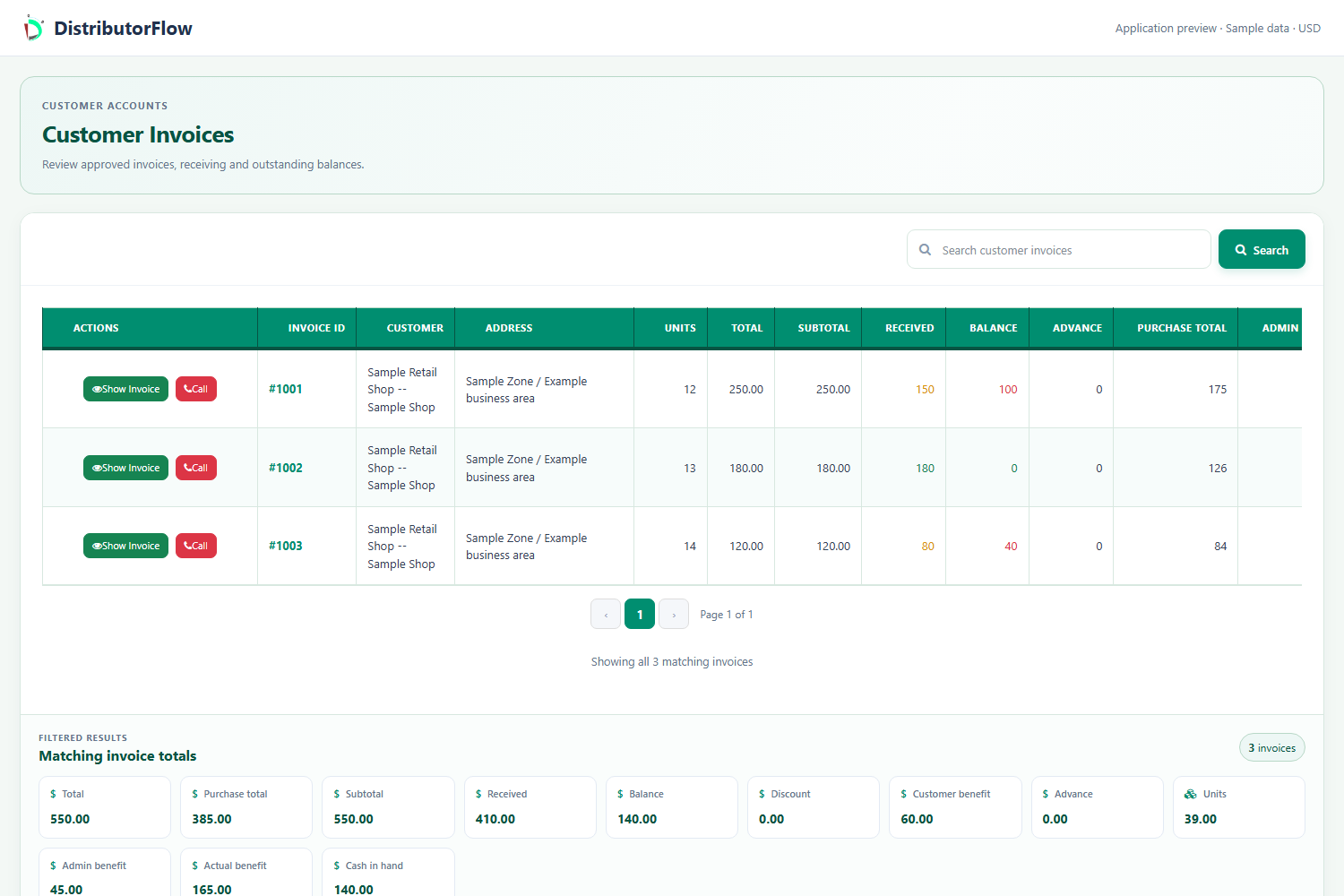
Real application views rendered with sample records. Select a screenshot to see it at full size.
Which report should you open first?
Start with the question you need to answer. Use customer invoices and balances for customer receiving, the order workspace for booked and processed work, available-stock reports for quantities, and the selected staff/date view for recorded visits and deliveries.
| Question | Relevant view | Important context |
|---|---|---|
| What was sold and collected? | Sales or invoice totals | Selected records, discounts and receiving |
| Who still owes money? | Customer ledger and invoices | Correct customer and current running balance |
| What work needs follow-up? | Order list and seller/date filters | Approval, assignment and delivery status |
| How much stock is available? | Chosen available-stock report | Account, units and stock/order approvals |
| Which stops were recorded? | Salesman or order-taker visit view | Recorded date, coordinates and outcome |
Why are sales and cash received different?
A sale records goods supplied, receiving records money collected and a discount reduces the amount charged. A credit sale can increase sales without collecting the full amount that day. A later payment can increase collections without being another sale of those goods.
A sales or benefit figure is not automatically a complete accounting profit. Confirm the stored purchase costs, discounts and any expenses included in the selected view before using a figure to make a business decision.
| Measure | Sample amount | Meaning |
|---|---|---|
| Sale subtotal | 2,000 | Goods recorded |
| Discount | 100 | Agreed reduction |
| Received | 1,200 | Money actually collected |
| Remaining: 2,000 - 100 - 1,200 | 700 | Amount still to collect |
Why can two reports show different totals?
Different reports can use different account scopes, dates and transaction stages. Compare the same customer or distribution, the same period, and the same approval or processing rules. Check whether the screen groups by creation, approval or visit date before treating the difference as an error.
Match the account and period
Check the selected business, customer or staff member and the relevant date range.
Match the record type
A stock purchase, customer invoice, distribution order and customer shop POS sale describe different workflows.
Check status and units
Review draft or approved records, stock use, delivery outcome and the unit used for quantities.
Inspect an example record
Open a known saved record and compare its product quantities, receiving and discount with the report that includes it.
What should a small team review at the end of a working day?
Review unfinished orders, recorded delivery outcomes, actual receiving and customer balances. Investigate pending stock invoices and quantity differences separately. Keep the owner, manager and staff responsibilities clear when checking what was collected and what still needs follow-up.
These are operational sales and collection reports. This page does not claim statutory financial statements, a general ledger, tax filing or bank reconciliation. Keep the reporting process your business requires alongside the application.
- Find saved work that is still waiting for approval or processing.
- Review failed visits as well as successful deliveries.
- Compare recorded receiving with the money actually handed over.
- Check the same stock report and account before making adjustments.
Product answers
Can sales increase without receiving the full payment?
Yes. A sale with a remaining amount is a credit transaction. Review the actual receiving and customer balance separately from the sale subtotal.
Does a map marker prove that an order was paid?
No. A recorded stop describes a visit. Review its delivery outcome and financial receiving separately before treating it as a completed and paid order.
Your next step
Try the workflow with your own business
Start with a small product list and a trial customer. Check stock, delivery, receiving and any local requirements before a wider rollout.