
Stock coming in and payments going out
Purchase management software connected to stock and purchaser payments
DistributorFlow uses purchaser accounts to connect the party supplying products with the stock purchase and its rate. Review accepted purchases, pending records and payments separately so a purchaser balance can be traced to the underlying entries.
See the current packages and allowances before you choose.
Inside the application
See the product screens
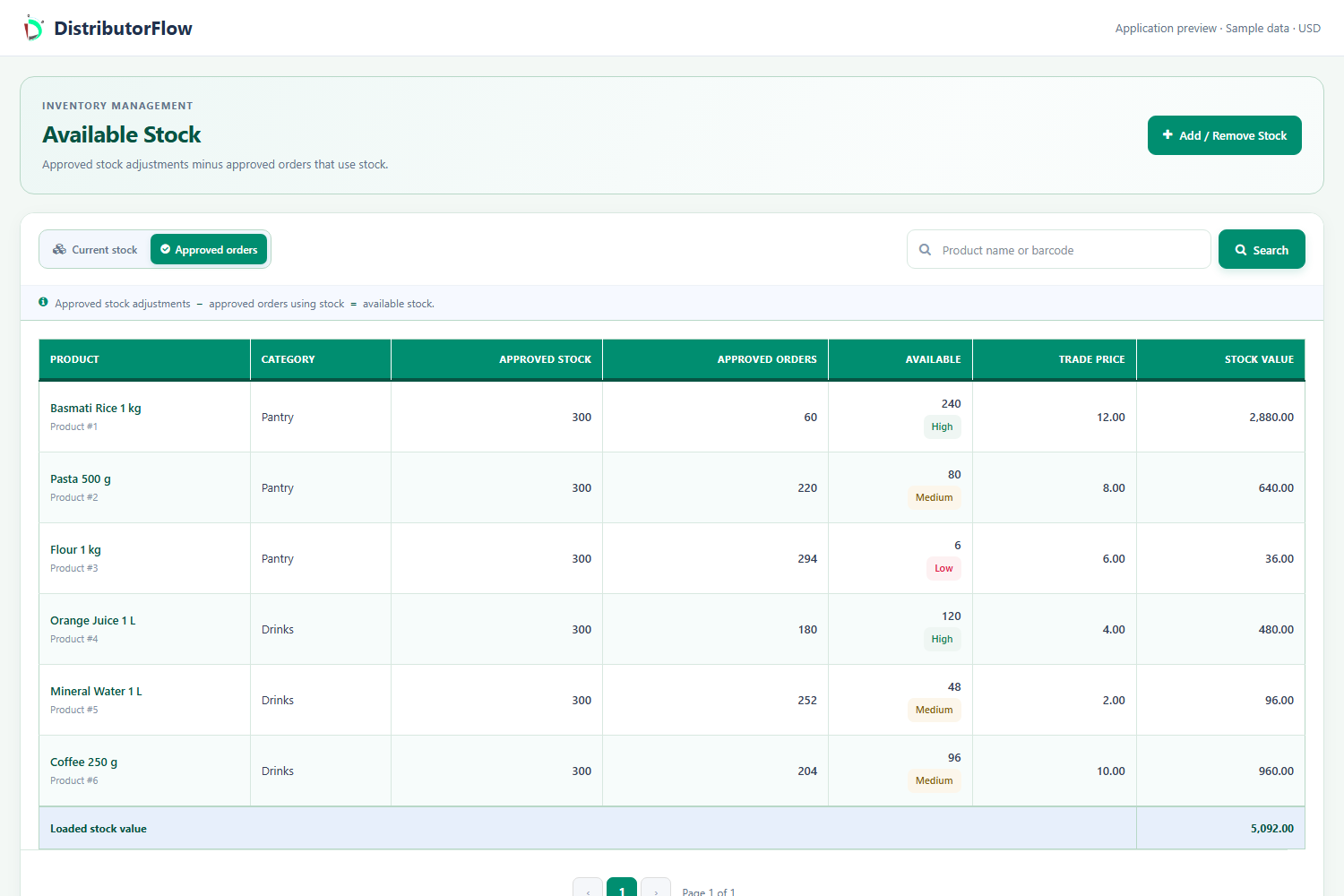
Real application views rendered with sample records. Select a screenshot to see it at full size.
How do purchaser contacts and product rates work?
Create the purchaser contact and associate the appropriate products and rates. A product can have more than one purchaser arrangement. Selecting a purchaser on a stock entry is optional, and its applicable purchase rate can be adjusted for that entry when the cost changes.
The application calls these records purchasers. In a business purchasing workflow they identify the contact supplying the products. Adding the contact does not create a supplier login or a self-service ordering account.
When does a stock purchase belong in the purchaser record?
Record the intended product quantities, purchaser and rate on the stock entry, then review its approval state. Accepted purchases on approved stock invoices are distinct from pending or rejected entries. Check the stock invoice and purchaser context before relying on an amount in the summary.
| Record | Sample value | What to review |
|---|---|---|
| Stock purchase | 20 units at 50 = 1,000 | The quantities, rate and invoice approval |
| Payment | 600 paid | The accepted payment record |
| Remaining purchase amount | 400 | The relevant accepted purchases and payments, without other adjustments |
How should you record a payment to a purchaser?
Open the intended purchaser, check the underlying purchases and use the available payment workflow. Record the actual amount and review whether that entry is accepted or awaiting review. Check the updated balance before entering the same payment again.
Purchaser payments, customer invoice receiving, the older invoice Purchase Payments report and the software account's package payments are different records. Use the page associated with the business event you are recording.
What should you include in a purchasing trial?
Try one purchaser, one product, a stock purchase and a partial payment. Check the pending and approved states, the product rate used on that stock entry and the resulting record history. Agree with the team which stock and payment reports they will reconcile.
Product answers
Does changing a normal purchase rate rewrite an old stock invoice?
Review the rate saved on the particular stock entry. An updated normal product or purchaser rate should not be taken as proof that an earlier recorded purchase has changed.
Is this a supplier payment gateway?
The described workflow records business purchases and payments. Recording a payment is separate from executing a bank transfer or processing a card transaction.
Your next step
Try the workflow with your own business
Start with a small product list and a trial customer. Check stock, delivery, receiving and any local requirements before a wider rollout.