
Wholesalers and traders
Wholesale and trading business software for goods, orders and collections
A trading business buys physical goods and sells them onward, often to repeat shop customers and with partial payments. DistributorFlow connects the catalogue, stock entries, customer prices, order workflow and collections so the office can understand what was ordered, delivered and paid.
See the current packages and allowances before you choose.
Inside the application
See the product screens
Real application views rendered with sample records. Select a screenshot to see it at full size.
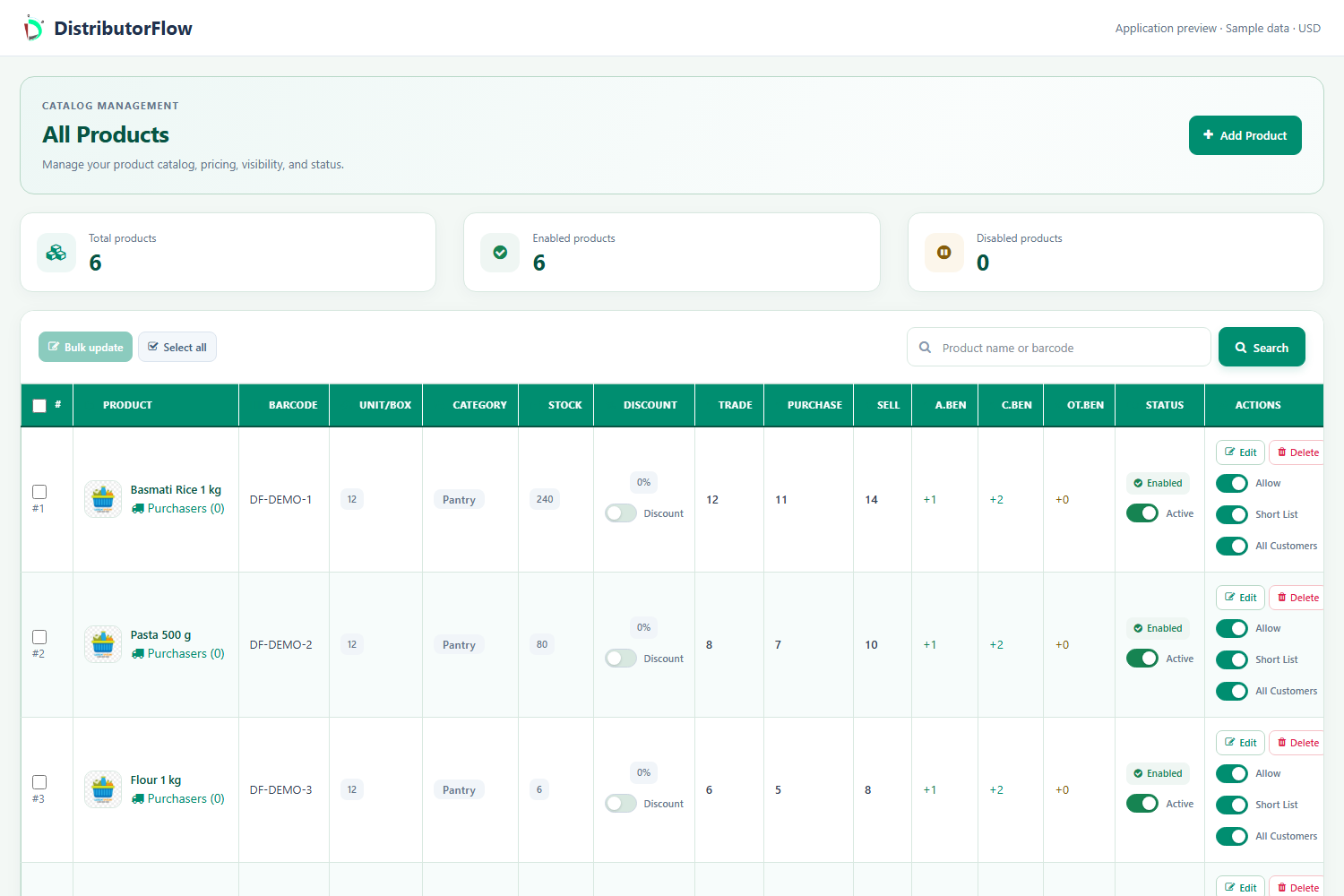
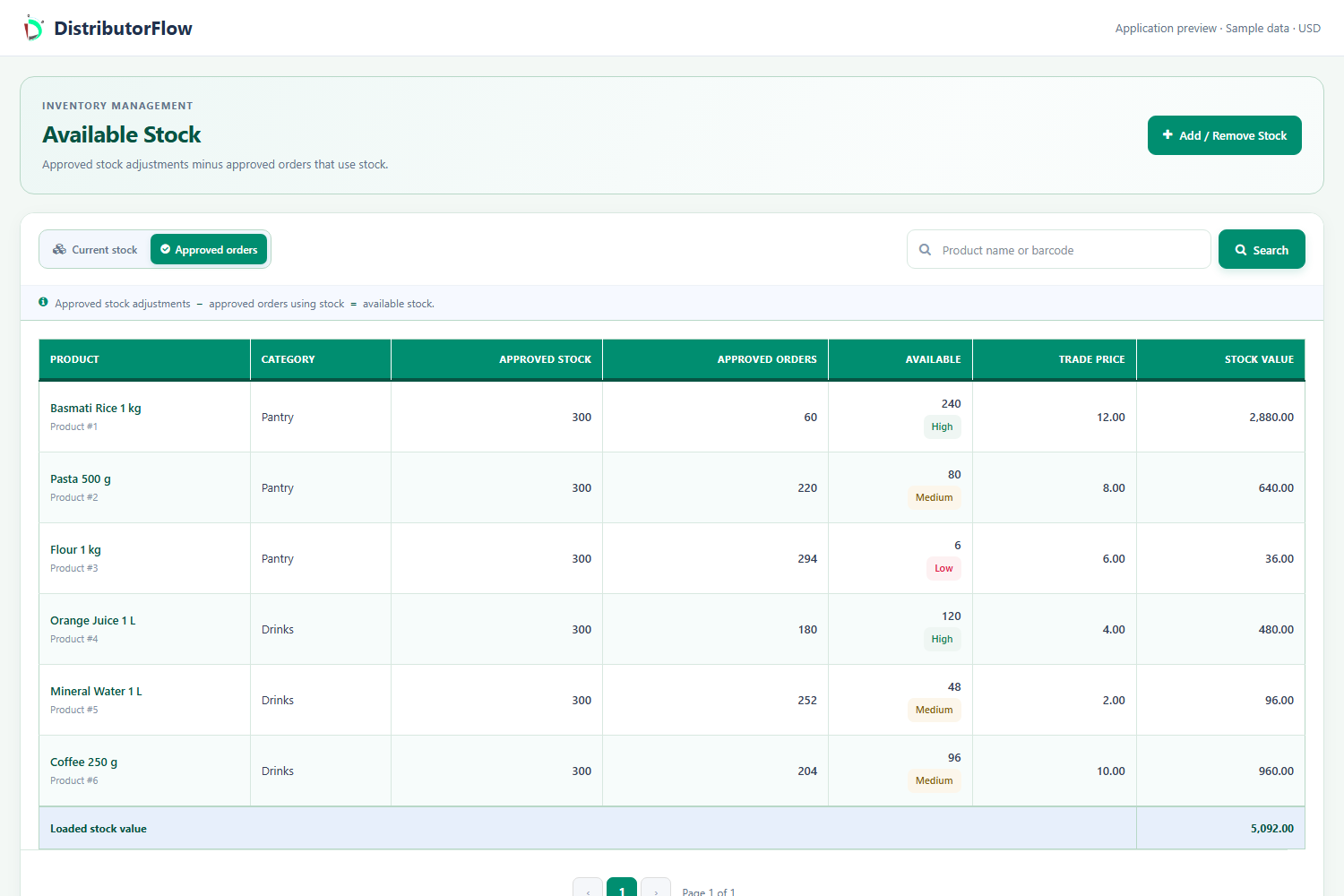
How do you manage wholesale products and customer prices?
Keep the product category, unit and purchase/trade/selling rates clear. Use normal catalogue rates where appropriate and agreed customer-specific prices where required. Product access and a custom price are separate settings, so check both before booking the shop order.
How do purchasing and supplier payments fit together?
Associate purchasers with products, record a stock purchase with the applicable rate and review invoice approval. Purchaser records and payments help explain the money owed on purchases; customer receiving describes money collected on sales. Keep those two sides separate when reconciling the day.
For example, 20 units bought at a sample cost of 50 represent a purchase amount of 1,000. That purchase amount is different from the later selling price or the cash collected from a customer. These are illustrative amounts, not current product prices.
How does a booked wholesale order reach the shop?
An authorised account books the order for the correct customer. Review its saved approval state, assign the responsible salesman and record the actual delivery outcome and receiving. An assigned order, a successful delivery and a paid balance describe different events.
Can you connect more than one distribution?
DistributorFlow supports explicit merge requests between distribution branches. The other branch must review and accept the relationship before the applicable shared views are used. Test access and a known transaction after acceptance; a connection does not automatically grant every user every administration permission.
Product answers
Can a trader also sell directly at a counter?
Yes. The supported POS workflow records counter sales alongside the distribution catalogue and account records. Select the intended customer and review quantities, receiving and stock handling for that screen.
Can I track outstanding customer amounts?
Customer invoices and ledgers connect sale amounts with receiving and the remaining balance. Check the relevant customer, date and adjustments before collecting an amount.
Your next step
Try the workflow with your own business
Start with a small product list and a trial customer. Check stock, delivery, receiving and any local requirements before a wider rollout.