
The products you buy and sell
Product management software for a clear shop and distribution catalogue
Maintain the physical items your business sells: their categories, names, barcodes, units, prices and access settings. DistributorFlow uses those records across orders, supported POS sales and stock entries so your team works from the intended product and price context.
See the current packages and allowances before you choose.
Inside the application
See the product screens
Real application views rendered with sample records. Select a screenshot to see it at full size.
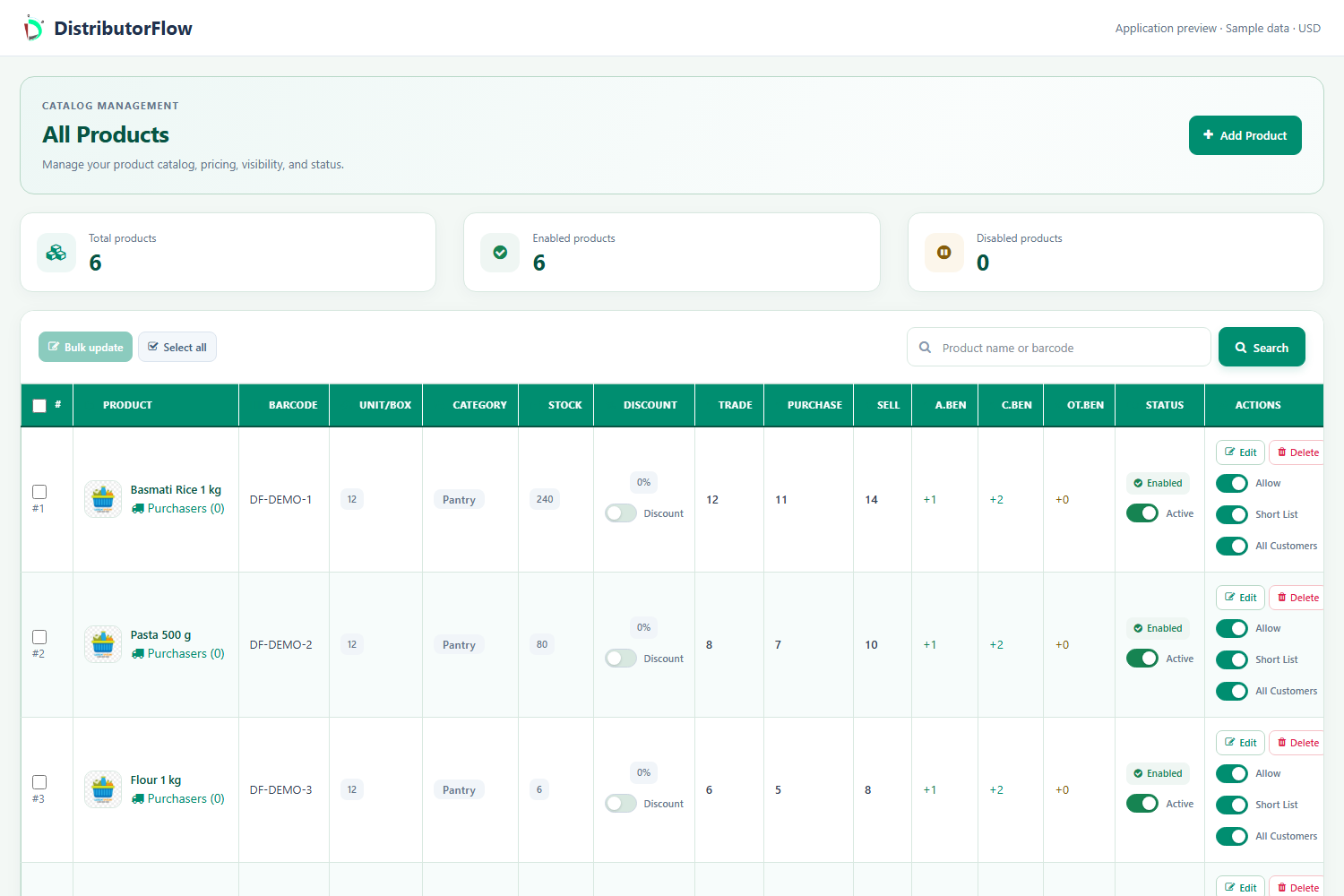
What belongs in a useful product record?
Start with a category and a distinct name, then check the optional product barcode, units per box and applicable purchase, trade and selling prices. Use clear size or variant names so a staff member can tell similar items apart. An optional image uses the applicable photo-space allowance.
| Product detail | Why it matters |
|---|---|
| Category and name | Which item is the employee selecting? |
| Barcode | Does a scan find the intended catalogue item? |
| Units per box | How should a box quantity relate to individual units? |
| Prices | Which rate applies to this entry or sale? |
| Visibility | Which customer or POS account may use the item? |
Can customer prices differ from catalogue prices?
Use normal catalogue rates for the general case and customer-specific prices for agreed arrangements. Check customer product access separately from price. A short list helps a team find frequent items, while other permitted products can be reached through the available full-list option.
For an illustrative item sold to a regular shop, confirm the shop's agreed rate before saving the order. Editing a catalogue price is not a reason to assume that every earlier saved order or invoice has been rewritten.
Does adding a product also add inventory?
No. The catalogue describes the item; a stock entry records a quantity added or removed from the intended stock account. Prepare the product first, record the stock invoice and review its approval or processing status in the report your business uses.
For a simple sample, create one product with a consistent unit, then record 100 units of approved stock. A stock-using approved order for 12 units leaves 88 in the corresponding approval-based example. Use the matching account and report before comparing that with physical stock.
What about kits, barcodes and serial-numbered products?
A product kit groups selected catalogue components and their quantities. Product barcode lookup and a sold unit's serial are separate features. When a product requires serial tracking, test the supported individual-product sale workflow and its quantity checks before using it in a live transaction.
Product answers
What does product management mean here?
It means managing the catalogue of physical items used in shop sales, distribution orders and stock records: names, categories, codes, units, prices and product access.
Can I update an existing product?
Open the product through All Products and use the permitted edit or supported bulk-update actions. Check the saved settings and review existing orders separately when changing prices or availability.
Your next step
Try the workflow with your own business
Start with a small product list and a trial customer. Check stock, delivery, receiving and any local requirements before a wider rollout.